Best Smart Home Hubs: A Simple Guide to Choosing One

Smart lights, smart plugs, a video doorbell and heating you can adjust from the sofa all sound simple on their own. The trouble starts when each gadget arrives with its own app, its own account and its own way of doing things. Before long your phone is full of apps, and nothing talks to anything else. A smart home hub is the piece of kit that ties it all together, and choosing the right one shapes how easy your smart home feels every day.
This guide explains the best smart home hubs in plain English. It covers what a hub actually does, when you need one and when you do not, the main types of hub and ecosystem, and the connection standards that matter, including Matter and Thread. It also walks through what to check before you buy, how setup usually works, and the common mistakes that catch people out. You will not find prices or model rankings stated as fact here, because prices change and the best smart home hubs for your home depend on the phone and devices you already own.
Quick Takeaways
- A hub is a control centre that links your smart devices so they work together in one app or with one voice command.
- You may not need a separate hub if you only own a few Wi-Fi devices, but a hub makes a growing smart home far easier to manage.
- The best known ecosystems are Amazon Alexa, Google Home, Apple HomeKit and Samsung SmartThings. Pick the one that fits the phone and devices you already use.
- Matter and Thread are open standards that help devices from different brands work together, so they are worth looking for if you plan to mix brands.
- Always check compatibility before you buy. A hub only helps if it supports the lights, plugs, sensors and heating controls you plan to use.
- Hubs with local control can keep basic routines running at home even when the internet drops.
What a Smart Home Hub Does
A smart home hub is a central controller. Instead of every device working on its own, your lights, plugs, sensors and heating controls connect to the hub, and the hub connects them to each other and to you. You then control everything from one app, with voice commands, or through automatic routines that run without you touching anything.
Think of a simple routine. A motion sensor near the front door notices movement on a dark evening. The hub receives that signal and tells the hallway light to switch on, so you are not walking into a dark house with your hands full of shopping. None of that needs you to open three different apps. The hub is the quiet middleman that passes messages between devices and carries out the rules you set.
Hubs also translate between different connection types. Many smart devices do not connect to your router directly. They use low power radio standards designed for small gadgets, and the hub acts as a bridge between those devices and your home network. Without that bridge, a sensor or bulb that uses one of those standards cannot join your smart home at all.

Hub or No Hub: Do You Really Need One?
Plenty of homes manage without a separate hub. If you own two or three smart plugs and a smart speaker, and each device connects over Wi-Fi, you can control them from the maker’s apps or with a voice assistant and never miss a hub. Many people start exactly this way and stay perfectly happy with it.
A hub earns its place when your collection grows. Once you have devices in several rooms, or you want different brands to work together in one routine, one app and one set of rules saves real time. A hub also helps when you choose devices that use Zigbee, Z-Wave or Thread rather than Wi-Fi, because those devices need a bridge to reach your network. If you plan to add sensors, smart heating or automated lighting over time, buying into a hub early usually works out simpler than untangling a pile of separate apps later.

The Main Types of Smart Home Hub and Ecosystem
An ecosystem is the family of apps, assistants and devices that work together under one brand. Hubs come in a few broad shapes, and the same brand may offer more than one shape. Product ranges change often, so treat the types below as a guide to how things work, and always check the maker’s own site for the current line-up and the latest compatibility lists before you buy.
Voice-assistant hubs
Smart speakers and smart displays are the hubs most people meet first. Devices in the Amazon Alexa and Google Home ecosystems, for example, let you control lights, plugs and more with your voice or from an app, and some models also include the radios needed to connect Zigbee or Thread devices directly. For many homes, a speaker that doubles as a hub is the simplest starting point, because it gives you voice control and a control centre in one device.
Dedicated hubs
A dedicated hub is a small box whose only job is running your smart home. Samsung SmartThings is the best known example of this style of ecosystem. Dedicated hubs often support several connection standards at once, handle more devices, and offer detailed automation rules, such as different actions depending on the time of day or who is at home. They suit people who enjoy setting up routines and want one system that can grow with them.
Smart TV and speaker hubs
Some televisions and sound products can also act as a hub or control point for their brand’s ecosystem. Apple HomeKit, for instance, uses devices such as a smart speaker or a TV streaming box as the home hub that keeps automations running and lets you control things while you are out. If you already own a recent smart TV or speaker from one of these ecosystems, you may already have the heart of a smart home sitting in your living room without realising it.
Connection Standards Explained Simply
Standards are the languages your devices speak. A hub that speaks the same languages as your gadgets can control them. Here are the main ones in plain terms.
Wi-Fi
Wi-Fi is the wireless network your phone and laptop already use. Many smart plugs, cameras and bulbs connect this way, with no hub needed. The downside is that each device adds load to your router, and Wi-Fi gadgets tend to use more power, which makes the standard less suited to small battery powered sensors.
Zigbee
Zigbee is a low power radio standard made for smart home gadgets such as bulbs, switches and sensors. Devices form a mesh, passing messages between each other, which can help the signal reach further rooms. Zigbee devices need a hub or bridge that speaks Zigbee, and many voice-assistant and dedicated hubs include it.
Z-Wave
Z-Wave does a similar job to Zigbee and is common in switches, locks and sensors. It also builds a mesh network and sips power, which suits battery devices. Z-Wave support is more common in dedicated hubs than in speakers, so check the hub’s specification on the maker’s site if you own or plan to buy Z-Wave devices.
Thread
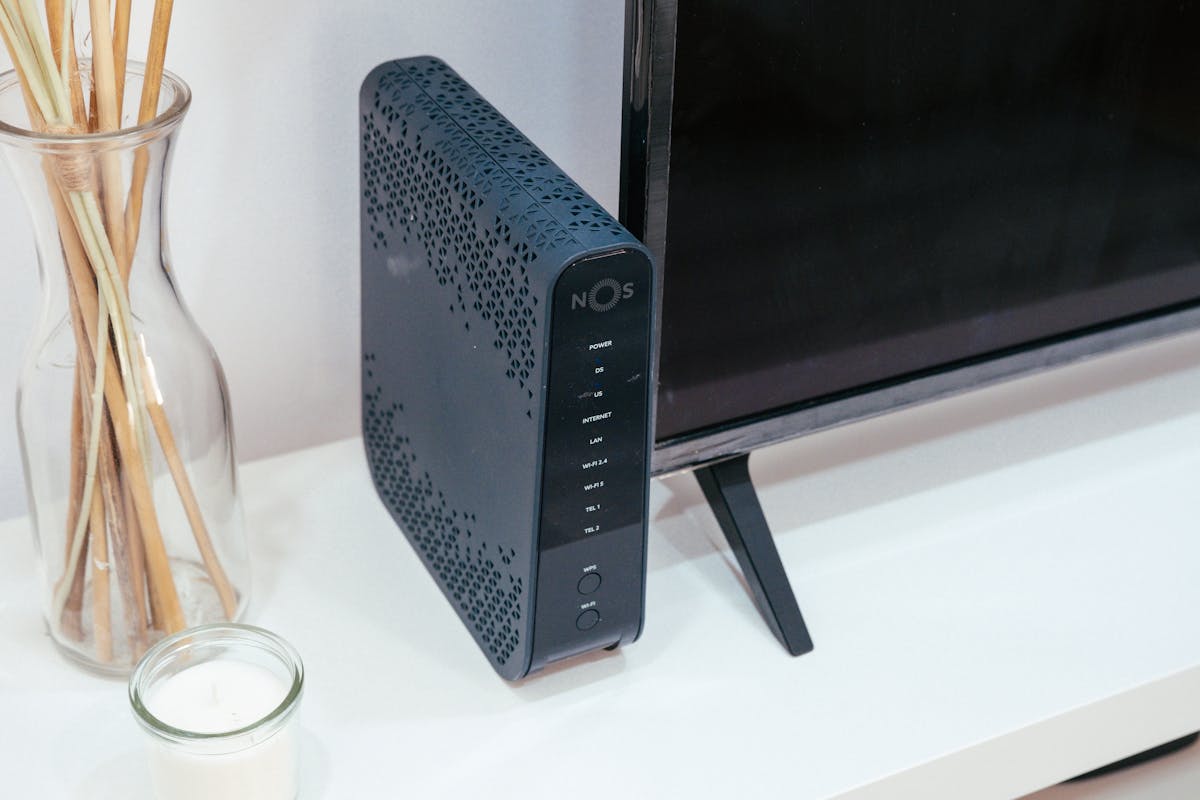
Thread is a newer open standard for low power mesh networking. It was designed for smart homes from the start, and Thread devices can respond quickly while using little energy. To connect Thread devices to your home network you need a Thread border router, a role that some hubs, speakers and routers can perform.
Matter
Matter is an open standard backed by many of the big smart home brands, and it sits on top of connections such as Wi-Fi and Thread. Its aim is simple: a Matter device should work with any Matter ready ecosystem, whether that is Alexa, Google Home, HomeKit or SmartThings. Matter is still growing, and makers add support through updates, so check the current compatibility notes for the exact devices you own before relying on it.
What to Check Before Buying
Compatibility first
Compatibility matters more than any other feature. List the devices you already own and the ones you plan to buy next, then check each one against the hub’s official compatibility list. Pay attention to the connection standards too. A hub that speaks Zigbee and Thread will welcome a wider mix of devices than one that only handles Wi-Fi.
App quality
You will live in the hub’s app every day, so it needs to be clear and reliable. Look for an app that groups devices by room, makes routines easy to build, and shows the state of your home at a glance. Reviews from other users and the app’s update history give a fair picture of how well it is cared for.
Privacy and data
A hub sits at the centre of your home, so privacy deserves a proper look. Check what data the system collects, where voice recordings are stored and how long they are kept, and whether you can review and delete them. Physical mute buttons on speakers, clear privacy settings and accounts protected with two step verification are all good signs.
Local control
Some systems rely heavily on the maker’s cloud servers, while others can run a good share of their routines inside your home. Local control means lights and sensors can keep following your rules during an internet outage, and responses often feel quicker too. If keeping things running offline matters to you, look for hubs that state clearly which automations run locally.
Setting Up a Smart Home Hub: The General Steps
Exact steps vary by brand, and you should always follow the instructions in the box and the maker’s support pages. In general, though, most setups follow the same shape.
- Place the hub near your router, or connect it with a network cable if the maker suggests one, and plug it in.
- Install the maker’s app, create your account, and turn on two step verification if it is offered.
- Add the hub in the app and let it update its software before you add anything else.
- Add your devices one room at a time, and give each device a clear name you would happily say out loud.
- Group devices by room, then build one or two simple routines, such as lights that come on at sunset.
- Test your routines for a few days and adjust timings before adding more complex rules.
Common Mistakes to Avoid
The most common mistake is buying devices before choosing an ecosystem. A bargain bulb is no bargain if it cannot join the system you use. Pick the ecosystem that suits your phone and your household first, then shop for devices that officially support it.
A second mistake is overloading your Wi-Fi with dozens of gadgets and no plan. If you expect your smart home to grow, lean on a hub and mesh standards such as Zigbee or Thread for bulbs and sensors, and keep Wi-Fi devices to a sensible number. Finally, do not skip the boring steps: software updates, strong passwords and two step verification protect the system that controls your front door and your heating, so they are worth the few minutes they take.
Frequently Asked Questions
Do I need a hub for smart lights?
Not always. Wi-Fi bulbs can work from their own app or a voice assistant with no hub at all. Bulbs that use Zigbee or Thread need a hub or bridge that speaks the same standard, and many people prefer a hub once they have bulbs in several rooms, because one app and shared routines are easier to live with.
What is Matter, and should my hub support it?
Matter is an open standard that helps smart devices from different brands work across ecosystems such as Alexa, Google Home, HomeKit and SmartThings. If you plan to mix brands or keep your options open for the future, a hub with Matter support is a sensible choice, but check the maker’s current list of supported device types before you buy.
Will a hub work if my internet goes down?
It depends on the system. Hubs with local control can keep many basic routines running, such as a sensor turning on a light, because the messages never leave your home. Voice control and access from outside the home usually need an internet connection, so expect those features to pause until your connection returns.
Can one hub run devices from different brands?
Yes, that is one of the main reasons to own one. A hub brings supported devices from many makers into a single app and lets them work together in routines. The key word is supported: check each device against the hub’s compatibility list, and look for Matter support if you want the widest choice.
Is a smart speaker the same thing as a hub?
Not quite, although the two often overlap. Some speakers include hub features and the radios to connect Zigbee or Thread devices, while others only offer voice control for Wi-Fi and cloud connected gadgets. If you want a speaker to act as your hub, confirm the exact model’s hub features on the maker’s site before buying.
Conclusion
The best smart home hubs are the ones that fit the home you actually have. Start with the devices and phone you already own, pick the ecosystem that supports them, and favour a hub that speaks the standards your gadgets use, with Matter and Thread support if you plan to mix brands. Check the app, the privacy settings and whether routines run locally, and you will avoid most of the traps that frustrate new smart home owners.
If you are starting small, a speaker with hub features may be all you need. If your plans are bigger, a dedicated hub gives you room to grow. Either way, take it one room at a time, name things clearly, and build simple routines first. A smart home that quietly does what you expect is worth far more than a house full of gadgets that never quite agree with each other.
Join the Conversation
Do you run your smart home from a single hub, or do you manage happily with separate apps? Which ecosystem did you choose, and what made you pick it? Share your setup in the comments below, and pass this guide on to anyone who is standing in a shop aisle wondering where to start.

magazinesupdate
Sharing practical guides, news and insights on Magazines Update.